The open internet is more of an idea than a reality for most people. Geo-blocks, ISP throttling, government restrictions, they all chip away at what you can actually reach online.
Whether you’re trying to stream a show that isn’t available in your region, use social media platforms that are blocked locally, or game without lag on international servers, a reliable VPN is no longer optional.
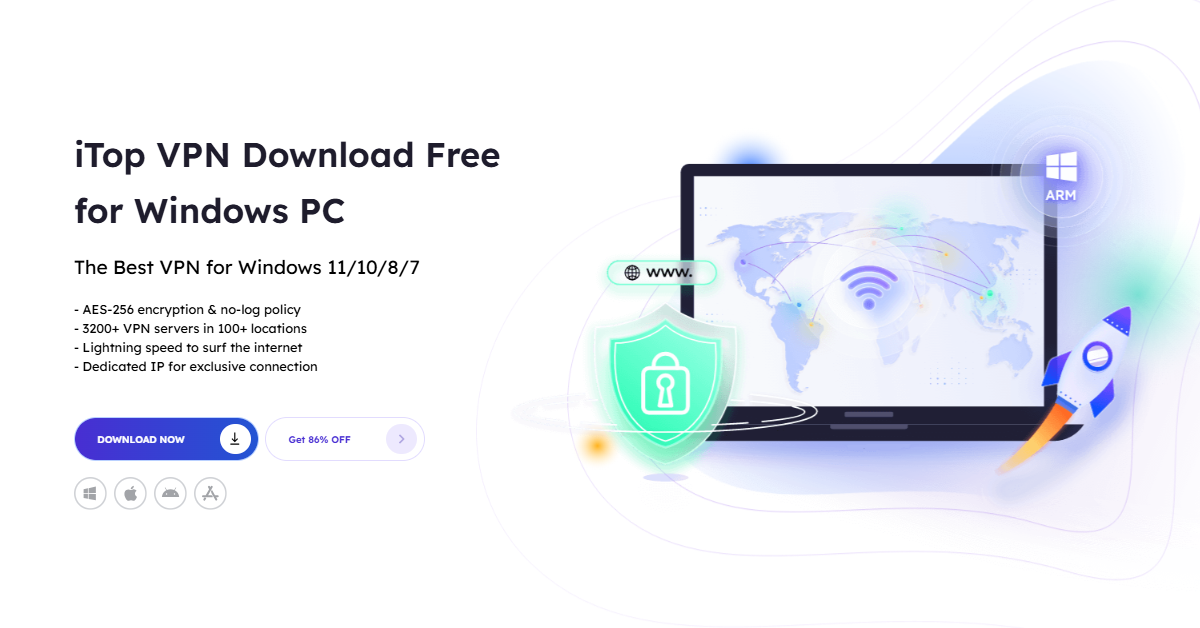
iTop VPN has become a go-to solution for Windows users who want fast, secure, and unrestricted internet access, and the latest version makes it better than ever.
What Makes iTop VPN Stand Out
There are dozens of VPN tools on the market, but most of them force a trade-off: speed vs. security, simplicity vs. features, or free vs. usable. iTop VPN for PC refuses that trade-off.
It offers a network of over 3,200 servers across 100+ locations worldwide, so you’re never stuck with a single slow server or a handful of country options. The servers are purpose-built for different use cases: streaming, gaming, torrenting, and general browsing. Each has dedicated options, so you’re not routing gaming traffic through a server optimized for video.
Some highlights worth noting:
- Military-grade encryption on all traffic, activated with a single click.
- Double VPN connects through two servers simultaneously for an extra layer of protection that prevents your ISP from tracing your destination.
- Dedicated IP servers from the US, UK, Canada, and Germany for users who need a consistent, exclusive IP address
- No-log policy with unlimited bandwidth and traffic
- One premium account now supports up to 8 simultaneous device connections.
Content You Can Access
This is the practical part. With iTop VPN, geo-restrictions stop being a barrier. Users can access:
Streaming platforms: Netflix (international libraries), Disney+, Hulu, BBC iPlayer, and more, regardless of where they’re physically located.
Social media and messaging: Facebook, WhatsApp, Telegram, Skype, TikTok, and ChatGPT are all accessible even in regions where these platforms face restrictions.
Gaming: Roblox, Call of Duty Mobile, PUBG, and other titles with the added advantage of the new Game Booster feature, which reduces lag and stabilizes connections for smoother gameplay. Gaming-specific servers are listed separately, making it easy to find the right one.
Getting Started: 3 Simple Steps
One of the cleaner aspects of iTop VPN is how little setup it requires. No technical knowledge, no manual configuration.
Step 1: Download iTop VPN for Windows. iTop VPN supports Windows x64, x86, and new in the latest version Windows ARM64 devices like the Microsoft Surface and Samsung Galaxy. Download the correct version for your device from the official iTop website.

Step 2: Install and Launch. Installation takes under a minute. Once launched, the interface is clean and straightforward. The updated UI in the latest version is noticeably more intuitive, server categories are better organized, and the Connect Assistant helps you find the right server for your specific needs without digging through menus.
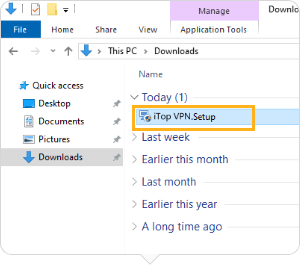
Step 3: Connect to a Server Hit connect, and iTop VPN automatically selects the fastest available server based on your location and purpose. If you want to pick manually, the server list is organized by use case: streaming, gaming, social media, etc. No login required for the free tier.
Security and Privacy Tools Beyond Basic VPN
Most VPNs stop at encrypting your connection. iTop goes further with a built-in security suite:
Kill Switch: If your VPN drops unexpectedly, Kill Switch immediately cuts internet access for specified apps, so your real IP is never exposed even for a split second.
Split Tunneling: Route only certain apps through the VPN while the rest use your regular connection. The latest version links all related apps automatically, cutting down on manual setup.
Dark Web Monitor: Continuously monitors whether your personal data has been compromised and alerts you if it appears on the dark web.
Browser Privacy: Scans for tracking vulnerabilities and clears privacy issues to prevent identity tracking across browsers.
Password Generator: Creates strong, randomized passwords on demand.
Security Reinforce: Scans your Windows PC for system vulnerabilities and patches weaknesses before they can be exploited.
IP Configure: Lets you set your IP behavior: Best Server IP, Dynamic IP, or Static IP, depending on your need.
HTTP Proxy / Whole House VPN: All devices on the same local network, Windows, Android, iOS, Xbox, PlayStation, Nintendo Switch, and Linux, can connect through iTop VPN via HTTP proxy settings. Useful for households where multiple devices need protection.
What’s New in the Latest Version
The recent update to iTop VPN isn’t just bug fixes. Several meaningful improvements landed:
- Windows ARM64 support: Surface and Galaxy users can now run iTop VPN natively
- Optimized connection logic: the app now intelligently selects the best server rather than defaulting to the nearest one
- Game Booster: a dedicated function within the gaming server section to reduce latency
- Enhanced Split Tunneling: better at grouping related apps under one configuration automatically
- Improved Kill Switch: now stops internet traffic for specified apps individually, not just the whole connection
- Better email client support: reliable VPN behavior for apps like Outlook and Thunderbird
- Faster download speeds: improved download acceleration built into the app itself
Who Should Use It
iTop VPN is built for Windows users who want comprehensive coverage without complexity. It works for:
- People in regions with censored or restricted internet
- Streamers who want access to international content libraries
- Gamers dealing with regional server latency or geo-locked titles
- Remote workers who need secure connections on public or shared networks
- Households that want a single VPN solution covering every device
With 20 million users and a product that keeps getting updated with real features rather than marketing additions, iTop VPN sits in a practical category, not the cheapest option, not the most expensive, but one of the more complete packages available for Windows today.