However, a yearbook is much more than just a photo album. It’s a capsule, which keeps all these wonderful memories together. But when creating such a capsule, one might face difficulties related to creating something creative and, at the same time, beautiful and consistent.
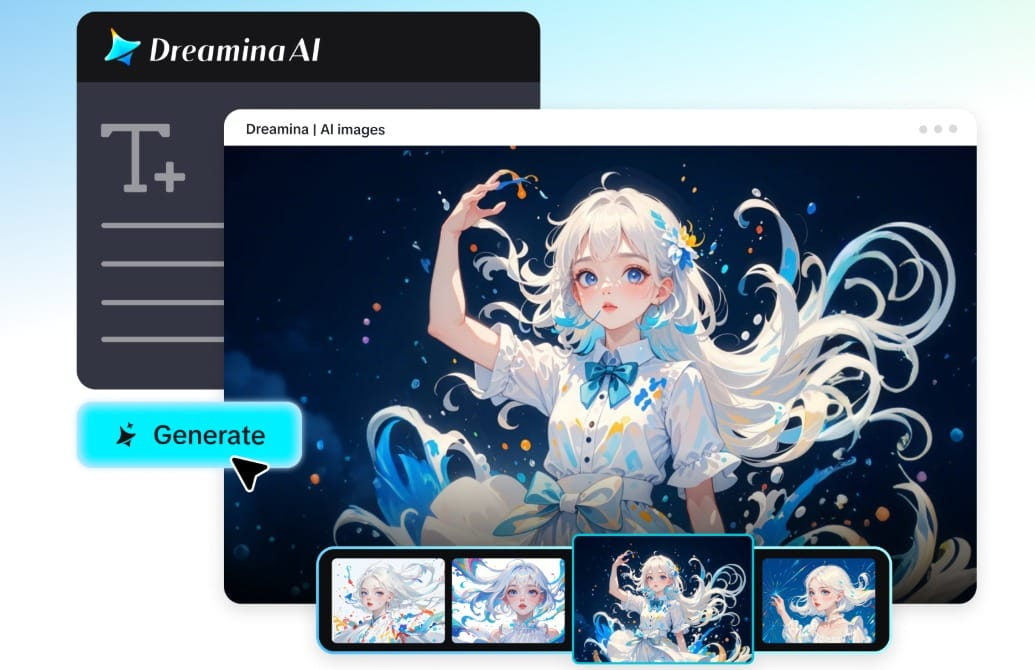
This is where AI-based platforms come to the rescue. You can create something incredible using a platform like the Dreamina AI image generator. Regardless of whether your project concerns a school, university, or any other creative circle, AI will help you get an idea across beautifully.
Now, let us talk about how we can make your yearbook truly unique.
Creating a visual story from your memories
An excellent yearbook doesn’t only contain pictures. It’s a visual story that tells us a lot. And each page of this book should be like a chapter, telling the story of one academic year.
Let us think about what experience we would like our audience to have:
- Excitement of the first day
- Thrill of all events and activities
- Nostalgia of final days
Each time you start designing a page as a story, you get a deeper understanding of how everything works. Colors, space, and picture placement are all important parts of the whole.
Choosing a theme that will guide the process
The theme gives consistency to the layout and brings all elements into unity.
There are many different themes you could try, such as:
- Clean and minimalistic design with sleek lines and neutral colors
- Retro look with bright palettes and unusual design solutions
- Scrapbook-like pages with textures and handwritten fonts
- Cinematic design that evokes movie atmosphere
With AI, it is easy to check different designs and choose one that suits your yearbook best.
Adding motion-inspired concepts without complexity
Even though yearbooks are typically static, there is no denying the influence of technology on their creation. Think of ways you can implement motion in the layout design process.
You can use AI software to create video concept ideas based on either written prompt descriptions or images as references. You may use the AI video generator to create an example of how your yearbook pages will look once completed.
In such a manner, you can create an impression of motion in the static printed pages. It adds dynamics and makes the page feel more cinematic.
Mixing creativity with structure
There is always the issue of maintaining creativity within a layout without overcomplicating things. There are certain features to consider to achieve this goal.
For example, you should focus on:
- Using consistent fonts in each section
- Implementing a cohesive color palette
- Choosing visual anchors like borders
Additionally, you can incorporate some layering options into the design:
- Adding backgrounds textures
- Creating overlaps of images
- Using highlight boxes for quotes or captions
The use of AI enables designers to easily try out different combinations without having to start over every single time.
Bringing school memories to life with Dreamina design
Designing becomes more efficient with Dreamina because the tool makes your concept come to life through visualization. No need to manually position anything as you simply describe what you want.
Step 1: Write a detailed prompt
Visit Dreamina and start by writing a comprehensive text prompt that includes your yearbook layout concept. Make sure to include a character related to the prompt, like a student or a teacher. Also, include details regarding the setting, the atmosphere, and the yearbook layout style itself.
For instance: Create a high school student dressed in the graduation gown, holding a diploma, standing in a decorated school hallway with posters and lockers, bright and cozy lighting, yearbook layout style with portraits, events, and quotes, etc.
Step 2: Fine-tune parameters and generate
Once your prompt is ready, select a suitable model for quality generation. Choose the right aspect ratio according to your yearbook page template, whether it be a full page in vertical, a section in square, or whatever is needed. Next, set your size and resolution to 1k or 2k. After all is done, tap the Dreamina’s icon to start your design generation.
Step 3: Customize and save
Customize your created design with the help of Dreamina’s functions. Use inpaint to edit certain parts of the layout, extend the layout where necessary, delete any unused items, and retouch the layout for better clarity and color balance. Click the Download icon after completing everything.
Designing layouts that emphasized people
Yearbooks are meant to be about people. That is why you should focus on:
- Effective placement that won’t overcrowd pages
- Spacing to ensure all pictures are noticed
- Backgrounds that complement pictures without distracting from them
In addition, you can try experimenting with grid layouts, collages, and other ideas to make your pages more interesting.
To create unique portraits that will reflect a specific personality, you could use Dreamina’s AI human generator to create various looks or profiles that fit your chosen theme perfectly.
Creative page ideas to consider
If you wish your yearbook to become even more unique, then try applying some creative ideas for pages:
- Timeline page highlighting major events during the year
- Candid page featuring spontaneously taken photographs
- Quote wall containing quotes written by students
- Spotlight page displaying achievements and awards
Such page ideas will make your yearbook unique and interesting.
Creating a personal touch on each page
When it comes to making your yearbook unique, there’s no doubt that personalization plays a significant role. The following suggestions might help you accomplish this goal easily:
- Use handwritten-like descriptions
- Make unique color accents depending on the class or organization
- Design customized icons and symbols representing the particular school culture
AI-based tools will take care of the generation processes, giving you more opportunities for storytelling.
Creating a design suitable for both versions
Most modern yearbooks appear in both digital and printed formats. For that reason, their design should look great in any version of the yearbook.
The following considerations might be important for you:
- Pay attention to high resolution
- Create balanced designs adapting perfectly to screen sizes
- Ensure visual consistency
If done properly, such an approach will provide you with a quality product.
Conclusion: Create the ultimate yearbook using Dreamina
It’s time to change your perception of yearbook creation and realize its simple possibilities offered by Dreamina.
Regardless of whether you choose the process of picking themes or adjusting details, everything can be easy with a convenient tool like this. You won’t spend much effort on arranging photos but create amazing layouts instead.